Japanese learning apps · from first kana to JLPT N1
My Senpai: four free Japanese learning apps. Try each one right here.
My Senpai is a set of four free Japanese learning apps built in Tokyo: Kana Challenge for hiragana and katakana, FluencyTool for speaking and kanji, YoMoo for reading real Japanese with furigana, and Crossword for JLPT vocabulary. Each runs on Android, iPhone and the web, and none needs an account to start.
- 4 free apps
- First kana to JLPT N1
- Android, iPhone and web
- No account to start
- Built in Tokyo
New to Japanese? Start with Kana Challenge. Not sure? Find your starting point.
Kana Challenge
What sound is this?
Question 1 of 5. Pick the romaji.
FluencyTool
Sentence 1 of 3 · JLPT N5
今日は天気がいいね
kyō wa tenki ga ii ne
The weather is nice today, isn’t it?
Now say it out loud. In the app, FluencyTool listens and scores what you said with speech-to-text. Try the scored version →
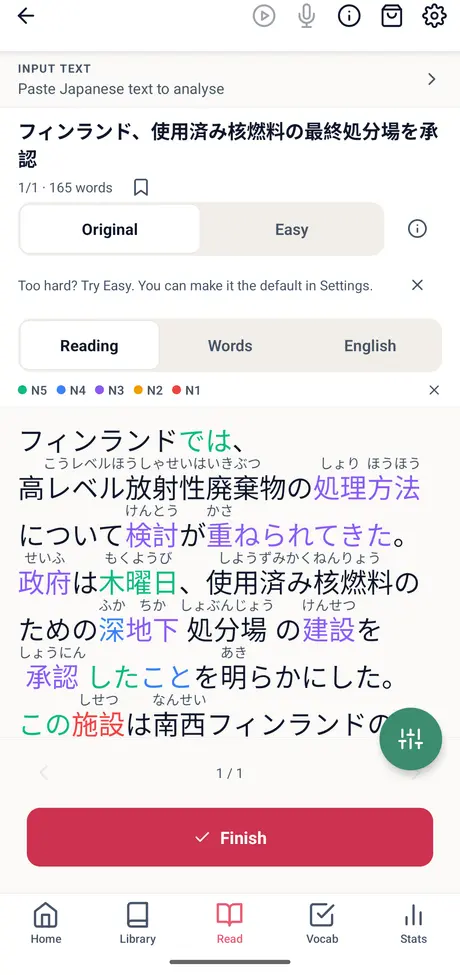
YoMoo
アッシュランドあるお、。
アッシュランド、、こぼれている。
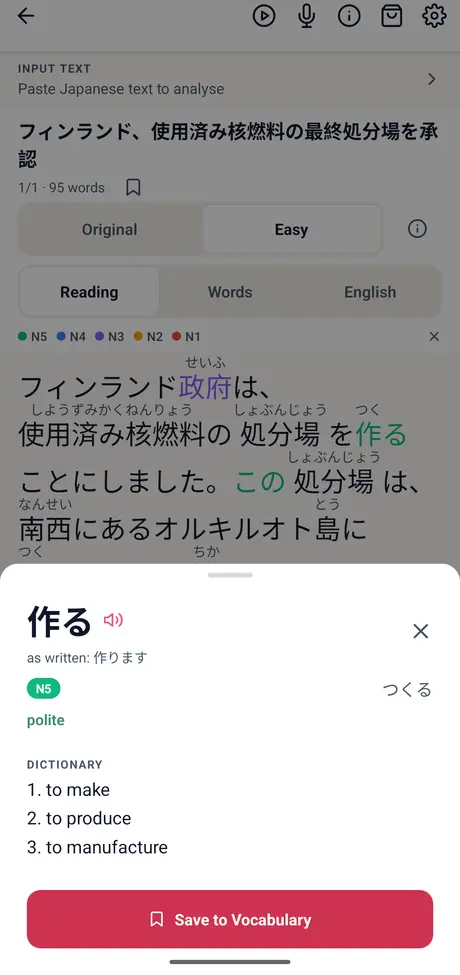
Tap any word for its reading and meaning.
News story: Wikinews, CC BY 2.5, translated into Japanese by YoMoo. Easy is written by AI from the original.
Crossword
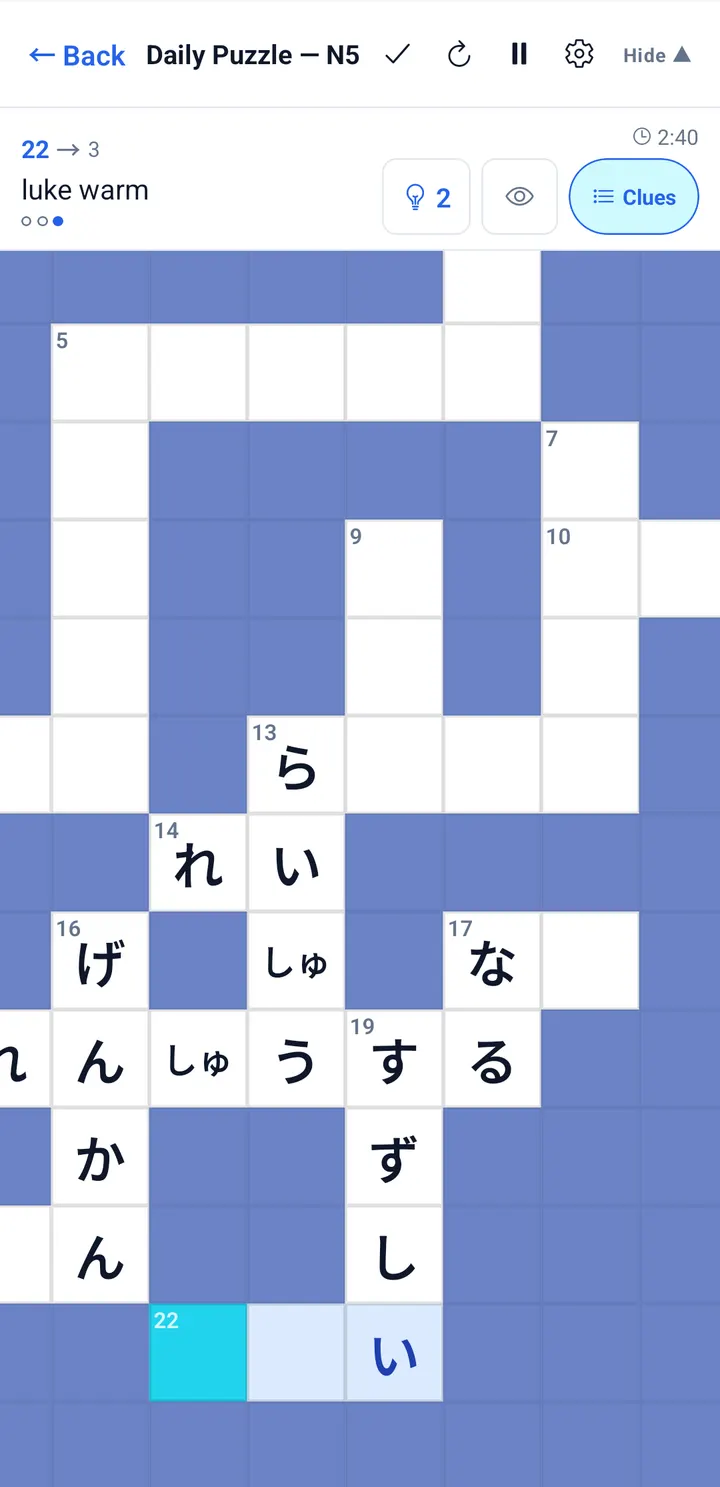
Type gakkou and watch the squares fill in.
いま Now at My Senpai
Tokyo
Learners from 103 countries studied with My Senpai this week
今週 This week
Last 7 days · Oct 31 to Nov 6, 2026
- Kana Challenge32,515kana questions answered4,363kana written by hand
- FluencyTool8,217sentences spoken and scored1,162kanji written by hand
- YoMoo4,342words looked up while reading590words saved to review
- Crossword9,935crossword words solved593crosswords played
In the 7 days from Oct 31 to Nov 6, 2026, My Senpai learners answered 32,515 kana questions, spoke 8,217 sentences in FluencyTool, looked up 4,342 words in YoMoo and solved 9,935 crossword words.
The four My Senpai apps
Each app does one job. Use the one for the skill that is holding you back, and add another when the next gap shows.
Kana
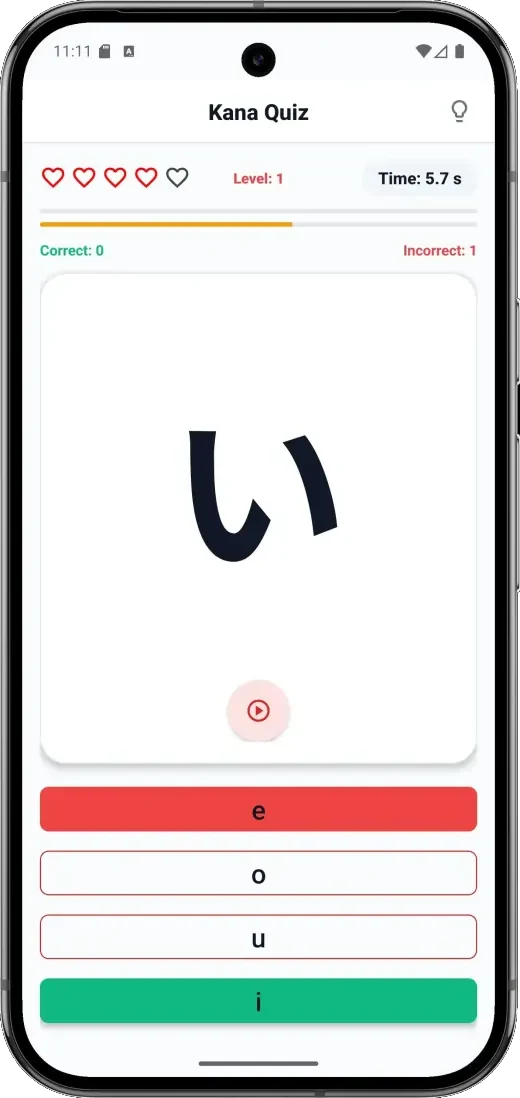
Kana Challenge: learn hiragana and katakana in 30 days
Kana Challenge is a free kana practice app that teaches hiragana and katakana in a 30-day course, for complete beginners.
Last 7 days32,515 kana questions answered and 4,363 kana written by hand in Kana Challenge.
- 30 lessons, 4 reviewsOne lesson a day, with reviews on days 7, 14, 21 and 30.
- All 92 characters46 hiragana and 46 katakana, plus voiced sounds and combinations.
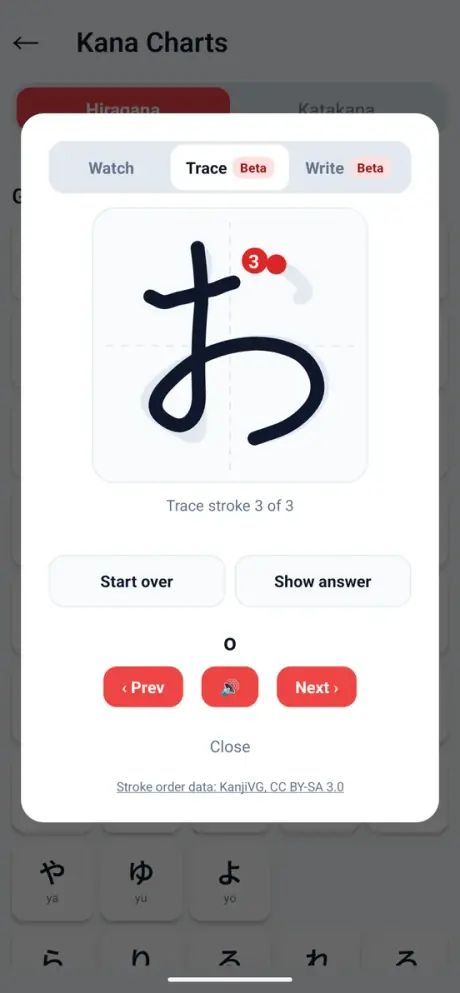
- Stroke order you traceAnimated stroke order, and a grader that tells you when a stroke runs backwards.
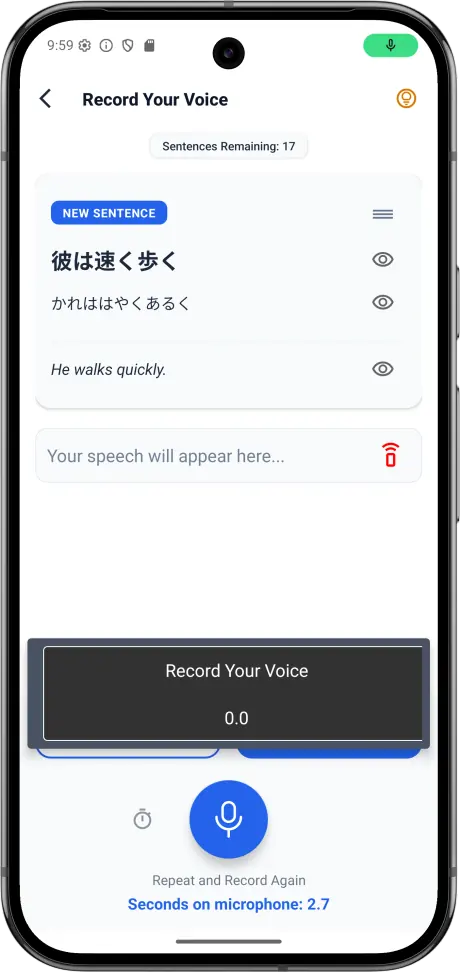
- Say it out loudSpeaking practice shows what the app heard you say.
Free with ads, including all 30 lessons. A one-time purchase removes ads.
Speaking and kanji
FluencyTool: Japanese speaking practice that scores you
FluencyTool is a free Japanese app for speaking and kanji: you shadow sentences and it scores what you said, from JLPT N5 to N1.
Last 7 days8,217 sentences spoken and scored and 1,162 kanji written by hand in FluencyTool.
- Echo FluencyListen, repeat, and get a score from speech-to-text. 25 sub-levels from N5 to N1.
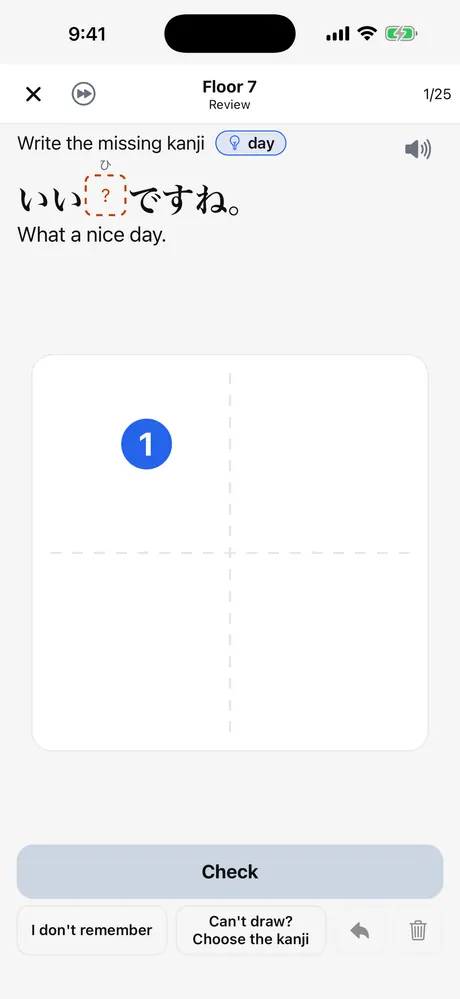
- Kanji TowerWrite all 1,026 elementary-school kanji in real sentences, with every stroke checked.
- Review that sticksSM-2 flashcards and a full JLPT N5 to N1 grammar guide.
- English tooA separate English speaking track, CEFR A1 to B2.
Free, with no trial and no subscription. A one-time purchase removes banner ads. Account optional, for cloud sync.
Nobody to talk to yet? Practice speaking Japanese alone, with or without an AI partner, then shadow the sentences in the app.
Reading
YoMoo: read real Japanese with furigana, or switch to Easy
YoMoo is a free Japanese reading app for learners who can read kana: furigana and JLPT colours on news, practice passages, literature and your own text.
Last 7 days4,342 words looked up while reading and 590 saved to review in YoMoo.
- Tap any wordReading, meanings and JLPT level from a 250,000+ word dictionary, then save it.
- Easy or OriginalSwitch a news story to a shorter Easy version and back.
- 325 JLPT passagesReading practice from N5 to N1, plus 500 Aozora Bunko texts.
- Your own textPaste anything, open a text file, or scan a page with the camera.
Free, no account. On phones 5 articles are free, then a short ad unlocks each new one. Optional ad-free subscription.
Vocabulary
Crossword: a daily Japanese crossword that reads romaji
My Senpai Crossword is a free Japanese crossword: every clue is an English meaning, every answer is a JLPT word, and you type romaji while the grid fills in hiragana.
Last 7 days9,935 crossword words solved and 593 puzzles played in Crossword.
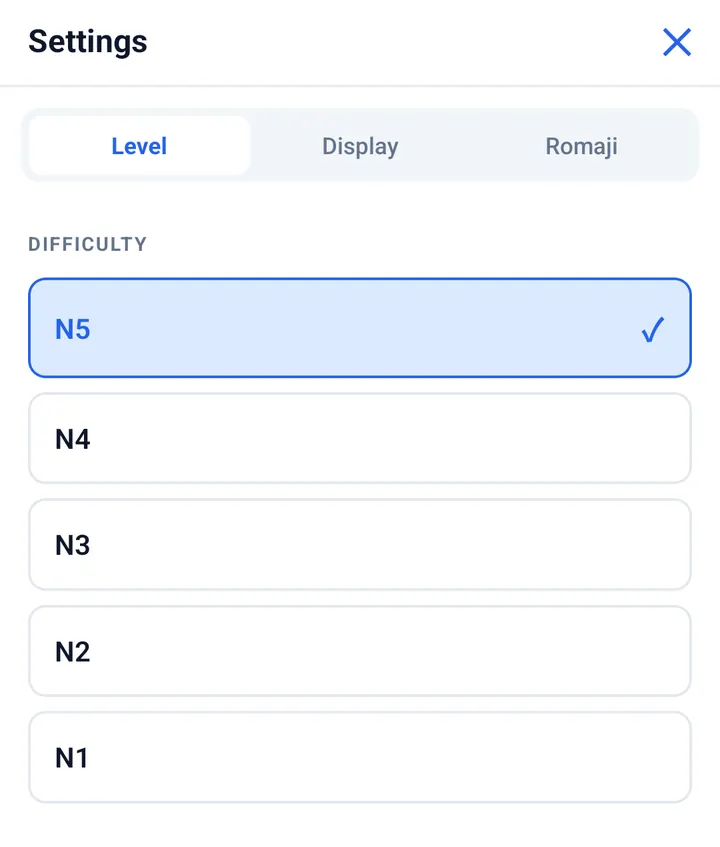
- New 20×20 every dayBuilt from 7,753 JLPT words, N5 to N1. Pick your level.
- No Japanese keyboardType “kyou” and the squares fill with きょう.
- Solve with a friendShare a link and fill the same grid live, each on your own phone.
- Hints, not answers2 one-letter hints per word, then a full reveal.
Daily puzzle free in the browser and the app; the app adds 3 free practice puzzles a day. Ad-Free and Unlimited are one-time purchases.
Which My Senpai app do you need?
| App | Best for | Level | Free | Optional purchase |
|---|---|---|---|---|
| Kana Challenge | Reading and writing hiragana and katakana | Complete beginner | All 30 lessons, with ads | One-time ad-free |
| FluencyTool | Speaking and writing kanji | JLPT N5 to N1 (English: CEFR A1 to B2) | Everything, with banner ads | One-time, removes banner ads |
| YoMoo | Reading real Japanese | Can read kana, N5 to N1 | Reader, dictionary, your own text; 5 articles, then 1 ad each | Ad-free subscription |
| Crossword | Recalling JLPT vocabulary | JLPT N5 to N1 | Daily puzzle + 3 practice puzzles a day | One-time Ad-Free or Unlimited |
All four run on Android and iPhone and have a browser version. No account is needed to start any of them.
Studying for the JLPT? The JLPT N5 to N1 study guides cover what each test asks, the pass marks, a 10-question level check and where to practise each part.
A path from your first kana to reading the news
- Read kanaKana Challenge, 30 days.
- Build wordsCrossword at N5, then up a level.
- ReadYoMoo, Easy first, then Original.
- SpeakFluencyTool, the sentences you can already read.
Try them in your browser first
- Kana Challenge in the browserThe free 30-day course, no install.
- FluencyTool web appEcho Fluency and flashcards in the browser.
- YoMoo web readerThe reader and dictionary; 1 new article a day.
- Today’s crosswordThe daily 20×20 puzzle, free, no account.
- Pitch accent practiceHear and compare Japanese pitch patterns.
- Japanese Learner’s MapFour questions, then a study plan for your level.
Built in Tokyo, around one idea
Different learning problems need different practice. Instead of one giant course, My Senpai builds a focused app for each one: recognising kana, recalling words, reading real text and speaking.
The name is the Japanese 先輩, senpai: someone a few steps ahead who helps you along.
Follow My Senpai
Short videos on kana, kanji stroke order and the apps.
Where My Senpai uses AI
- FluencyTool scores your speaking with speech-to-text.
- Each YoMoo news story has a shorter Easy version written by AI and labelled; the Original is one tap away.
- Translating your own text in YoMoo is a beta feature.
The dictionary (JMdict) and kanji stroke data (KanjiVG) are open, human-edited sources.
Questions about My Senpai
What is My Senpai?
My Senpai is a set of four free Japanese learning apps built in Tokyo: Kana Challenge for hiragana and katakana, FluencyTool for speaking and kanji, YoMoo for reading real Japanese with furigana, and Crossword for JLPT vocabulary. Each app runs on Android, iPhone and in a web browser.
Is My Senpai free?
Yes. All four My Senpai apps are free to download and use, with ads. Kana Challenge, FluencyTool and Crossword sell optional one-time purchases that remove ads, and YoMoo has an optional ad-free subscription. None of them asks for a card to start.
Which My Senpai app should I start with?
Start with Kana Challenge if you cannot read hiragana and katakana yet. If you can, pick the skill you want to improve: Crossword for JLPT vocabulary, YoMoo for reading, or FluencyTool for speaking and kanji writing.
Do I need an account to use My Senpai?
No. None of the My Senpai apps needs an account to start. FluencyTool offers an optional account if you want cloud sync across devices.
Which devices does My Senpai work on?
All four My Senpai apps run on Android phones and on iPhone, and each one has a version that runs in a web browser. YoMoo also runs on iPad.
Can I use My Senpai in a browser without installing anything?
Yes. Kana Challenge’s 30-day course, the FluencyTool web app, the YoMoo web reader (1 new article a day) and Crossword’s daily puzzle all run in a browser with no account. The phone apps add more practice and offline features.
Does My Senpai help with the JLPT?
Yes, for vocabulary, kanji, reading and speaking from JLPT N5 to N1. Crossword uses 7,753 JLPT-tagged words, FluencyTool organises speaking practice and its grammar guide by JLPT level, and YoMoo has 325 JLPT reading passages. It is practice, not a full exam course, so pair it with official sample tests.
Can I learn to write Japanese with My Senpai?
Yes. Kana Challenge teaches hiragana and katakana stroke order with graded tracing, and FluencyTool’s Kanji Tower has you write all 1,026 elementary-school kanji in sentences, with every stroke checked.
Does My Senpai teach English?
Yes, in one app. FluencyTool has an English speaking track for learners at CEFR A1 to B2. The other three My Senpai apps are for learning Japanese.
How does My Senpai use AI?
FluencyTool uses speech-to-text to score your speaking, and YoMoo uses AI to write the shorter, labelled Easy version of each news story. The dictionary (JMdict) and kanji stroke data (KanjiVG) are open, human-edited sources.
Who makes My Senpai?
My Senpai is built in Tokyo. The name comes from the Japanese word senpai, someone a few steps ahead who helps you along. You can reach the team at fluencytool@my-senpai.com.
Sources: JLPT level summary · CEFR level descriptions · JMdict · KanjiVG
Guides for the parts that need explaining
- InsightsArticles on kana, kanji, vocabulary, speaking and study methods.
- JLPT grammar by levelGrammar guides from N5 to N1.
- Japanese Learner’s MapThe stages from first kana to N1, and what usually stalls each one.