Kana Challenge
Kana Challenge reviews
What learners say about the hiragana and katakana app in their store reviews. Quotes are copied from Google Play with the reviewer's first name and initial, the stars they gave, and the month.
The store rating today
Written reviews: 19 on Google Play (Play Console review export, newest 24 October 2026), in English, Portuguese, Spanish, French, Italian and Turkish.
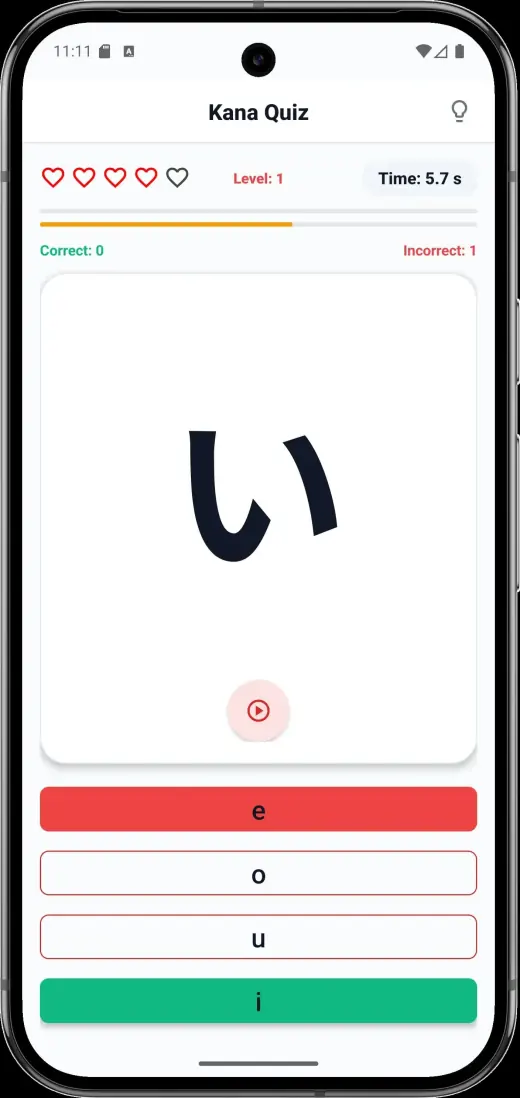
On the 30-day plan and the quiz
Unbelievably fast way to learn Hiragana and Katakana!
Great app for learning and practising recognising Japanese language characters!
Enjoyable and efficient!
On the timed challenges and the game feel
I now have a habit of doing daily timed challenges that have been really useful with the memorization of characters and recognizing them outside of the app. Also, the developers listened to people's (including mine) feedbacks about add placement and reacted very fast, and responded.
nice Japanese learning app, I like how the dev makes it feels like a game
On support and fixes
UPDATE: messaged the developer with my issues and he was exceptionally responsive. He released an update that resolves most of my gripes.
when I'm doing the quizzes and ads open it ruins my score :') but awesome app otherwise.
What reviewers asked for, and what changed
- No ads in the middle of a quiz (Brittany R., July 2026; Agneta L., August 2026). Version 1.2.9 stopped the launch ad from interrupting a quiz you have started, 1.2.16 spaced full-screen ads further apart, and no ad plays before the test-out quiz.
- A quiz that repeats the same character too often (Howard N., in his first review). He updated his review after a fix: "He released an update that resolves most of my gripes."
- The writing part (a French-language review, May 2026: "nice but lack the writing part"). Writing arrived in 1.2.16 with Watch, Trace and Write and the Tower of Terror; see the Kana Challenge updates.
- More vocabulary (a Spanish-language review, June 2026). Still open: the course teaches more than 130 everyday words alongside the kana; for vocabulary after kana, the roadmap after kana covers the next steps.
How to leave a review
On Android, open Kana Challenge on Google Play, scroll to Rate this app and choose your stars. On iPhone, open Kana Challenge on the App Store, go to Ratings and Reviews and tap Write a Review. After you pass a Day, the app may ask for a rating, at most once every 60 days. For a bug, an email to fluencytool@my-senpai.com reaches the developer directly.
Try day one
Free on Android and iPhone with ads, or in your browser. One optional purchase removes the ads. No account needed.