You already have the app: tap the link
The invite link opens My Senpai Crossword straight into the shared puzzle.
Together mode is the two-player mode in My Senpai Crossword: send a link or a 6-character code, and you and one friend fill in the same JLPT N5–N1 crossword at the same time, each on your own phone, watching the other's letters appear as they type. No sign-up, no Japanese keyboard: you both type answers in romaji.
Free. Both players need the app. Or try a two-player round right here first.
iPhone: Together mode arrives with the next App Store update. It is live on Android now.
Tap a clue or a square to pick a word.
Type the reading in romaji and it turns into kana: sa → さ, tsu → つ.
Your friend うみ Umi has the link.
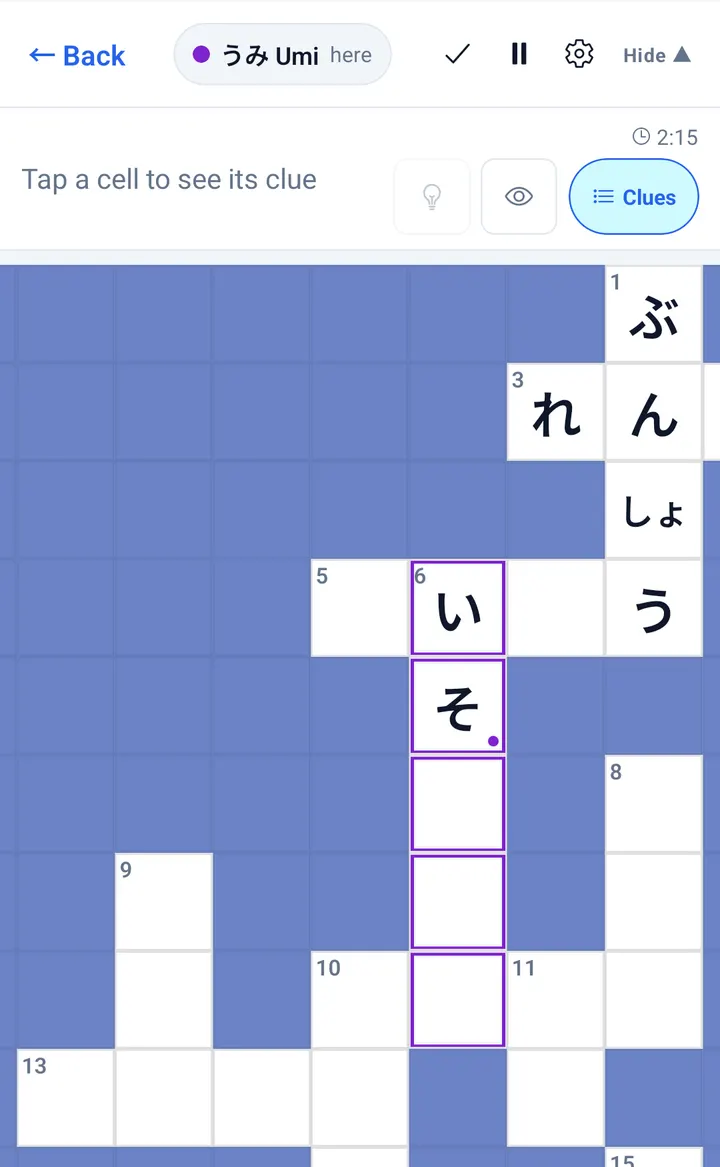
Take the across words. Umi starts on the down words. Her word gets a purple outline, and her letters arrive while you type.
In the app, the real puzzle is 20×20 and your friend is a real person.
A 5×5 demo with a simulated friend, built for this page. App puzzles are 20×20 and generated from JLPT word lists.
One player hosts and sends the invite. The other joins from the link or the code. From then on you share one grid, one clock and one set of hints.
Tap Invite on a practice puzzle. You get a link and a 6-character code to send. How to invite
They tap the link, or type the code into Enter code, and land in your puzzle with every letter you have filled in. How to join
Both of you type at once. Each letter shows up on the other phone in about a second, and you can see which word your friend is on. How the game plays
You can invite from inside a puzzle or from the dashboard. Either way you get the same two things: a link and a code.
Your friend gets the puzzle exactly as it is now, letters and all, so you can start alone and call in help halfway.
On the Together card, tap Invite a friend. The app makes a fresh puzzle and opens the invite sheet as soon as it is ready.
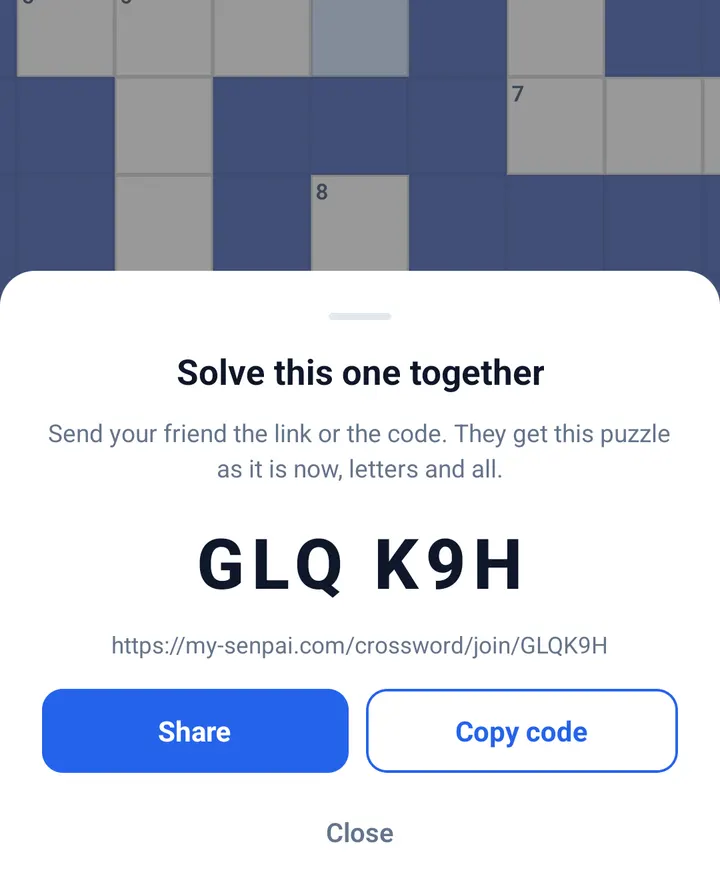
There are three ways in. All of them end in the same place: your friend's grid, open on your phone.
The invite link opens My Senpai Crossword straight into the shared puzzle.
The link opens a short page with the code and a button to Google Play or the App Store. Install, open the app, and the dashboard shows You have an invite with the code filled in. Tap Join.
On the Together card tap Enter code, type the 6 characters or tap Paste, then Join. Lowercase and spaces are fine.
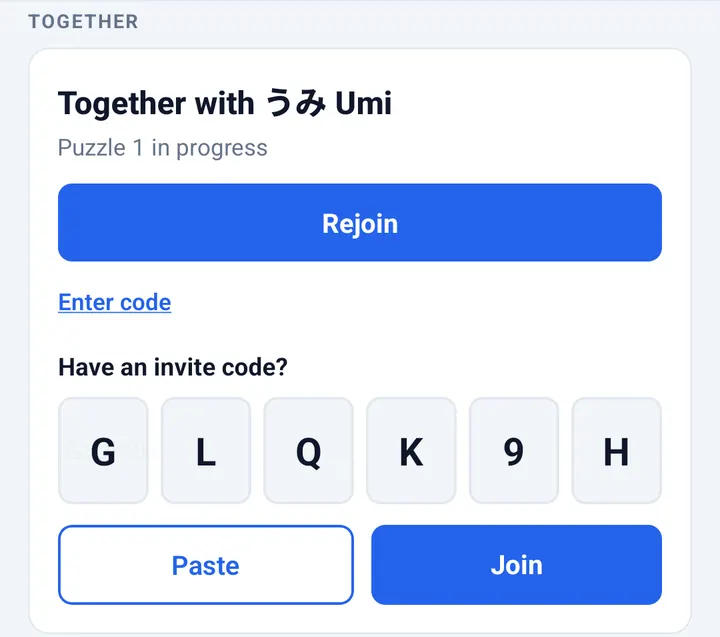
The first time you play together, you choose a nickname from 24 Japanese words, such as さくら Sakura, うみ Umi or ほし Hoshi. There is no name to type and no account to create, so your friend only ever sees the word you picked.
The app tells you why in plain words and keeps the code so you can try again: the puzzle may already have two players, or it may have expired after 7 days without a move.
Joining uses your one free puzzle with a friend for the day. If you have used it, you can watch a short ad to join, or remove the limit with Unlimited. Full details below.
It is the same crossword you know: English clues, JLPT answers, romaji that turns into kana as you type. The difference is that someone else is typing too.
The word your friend is on gets an outline in their colour, with a small dot on the square they are typing. You can split the grid without both working on the same word.
Every letter you type appears on your friend's phone within about a second, and theirs on yours. Both phones always settle on the same grid.
The timer belongs to the puzzle, not to a player. You can pause, but the clock keeps running for your friend.
Reveal a character, reveal a word or check your answers: whatever one player uses shows up on the other phone too. Reset is switched off in a shared puzzle, so no one can wipe the other's work.
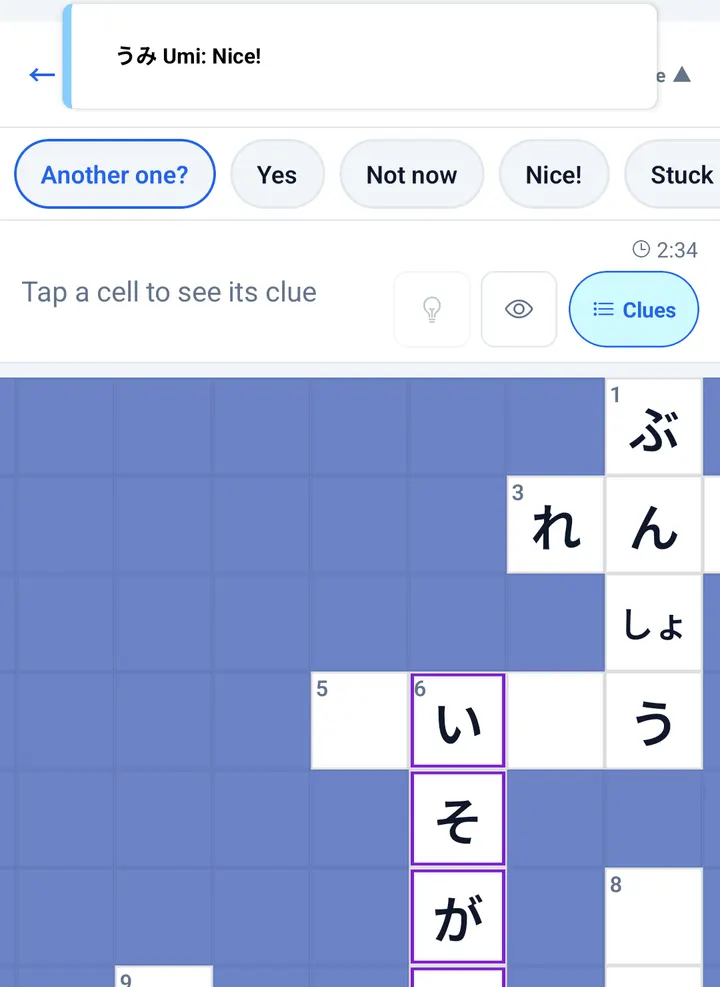
Tap your friend's name at the top of the puzzle to open five fixed messages. Nothing else can be typed or sent:
A small notice tells you when your friend joins, leaves or comes back, for example Umi joined or Umi is back.
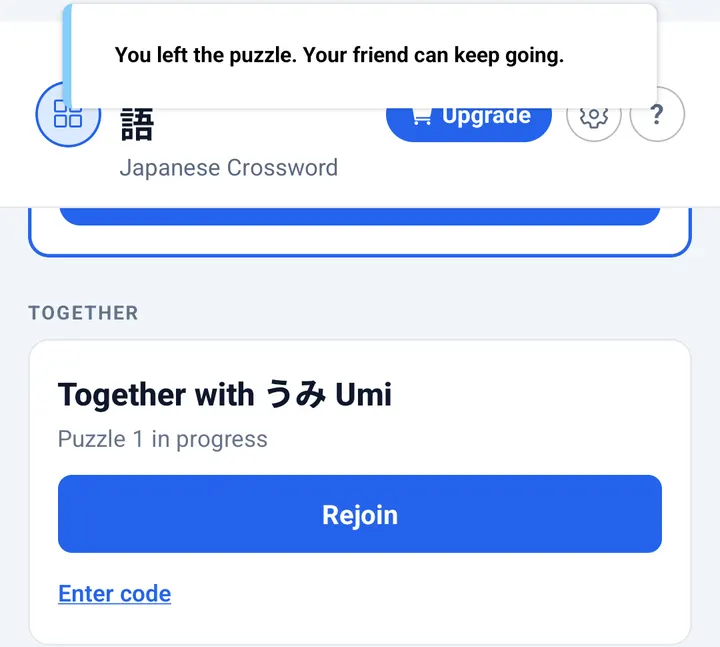
Tap Back whenever you like. The app says You left the puzzle. Your friend can keep going. Later, tap Rejoin on the Together card to step back into the same grid, with everything your friend filled in meanwhile. Rejoining is free, and the puzzle stays saved for 7 days after the last move.
When the last word goes in, both phones show Solved together with your friend's nickname and your shared time. Tap Another one? and your friend gets Yes or Not now. If they say yes, a new puzzle opens in the same room for both of you, with no new link to send. Each new puzzle counts as a puzzle with a friend for both players (see free plays).
| Shared with your friend | Stays yours |
|---|---|
| The grid and every letter in it | Your daily puzzle and streak |
| The clock | Pausing (the clock runs on for them) |
| Where each of you is typing | Your solo practice puzzles |
| Hints, reveals and answer checks | Your theme and keyboard settings |
| The JLPT level of the puzzle | Your nickname, picked once |
Puzzles with a friend have their own daily allowance, so playing together never eats into your solo practice.
| What | Free each day | After that |
|---|---|---|
| Puzzle with a friend | 1 | Watch a short ad to join your friend's puzzle, or buy Unlimited once |
| Practice puzzles (solo) | 3 | Unlimited removes the daily limit |
| The daily puzzle | 1, always | Never counts against the limits |
| Rejoining a puzzle you are in | Always free | No limit |
Unlimited and Ad-Free are one-time purchases in the app, not subscriptions. Prices are shown in the app and the store for your country.
Solving with someone turns vocabulary review into a short, shared game. Each clue still makes you produce the Japanese word yourself, and that kind of recall practice is linked to better long-term memory than rereading (Roediger and Karpicke, 2006).
Two learners at the same JLPT level split the grid and compare the words each of them knew.
A teacher invites a student to an N5 or N4 grid and watches which words come easily and which need a hint.
One puzzle a day with a friend in another city or country, on Android or iPhone.
Yes. Together mode in My Senpai Crossword lets two players solve the same Japanese crossword live, each on their own phone. You type into one shared grid, and your friend's letters appear on your screen within about a second.
Open a practice puzzle in My Senpai Crossword and tap Invite, or tap Invite a friend on the Together card on the dashboard. The app gives you a link and a 6-character code; send either one with Share or Copy code.
Your friend taps the invite link, which opens the shared puzzle in the app. They can also open the Together card, tap Enter code and type the 6 characters. Before the first game they pick a nickname from a list of 24 Japanese words.
Yes. Two-player mode runs in the My Senpai Crossword app on Android and iPhone, not in the browser version. If your friend does not have the app, the invite link sends them to Google Play or the App Store, and the code is waiting when they open the app.
Yes. An Android player and an iPhone player can share one puzzle, as long as both have My Senpai Crossword version 1.0.43 or later.
Two. Each shared puzzle has one host and one friend, so every letter on the grid belongs to one of you.
Yes. You get one free puzzle with a friend each day, on top of the free daily puzzle and 3 practice puzzles. After that you can watch a short ad to join your friend's puzzle, or remove the limit with the one-time Unlimited purchase. Rejoining a puzzle you already started is free.
There is no free-text chat. You send one of five quick messages instead: Another one?, Yes, Not now, Nice! and Stuck here. Nothing else can be typed or sent.
The other player can keep solving. Tap Rejoin on the Together card to go back in; the grid stays saved for 7 days after the last move.
No. Together mode uses practice puzzles. The daily puzzle stays a solo puzzle, so it keeps counting toward your own streak.
A shared puzzle uses the level of the puzzle the host invited from, anywhere from N5 to N1. Both players see the same grid and the same English clues.
Install the app, open a practice puzzle and tap Invite. Your first puzzle with a friend is free every day.
Sources: Roediger, H. L., and Karpicke, J. D. (2006), "Test-Enhanced Learning", Psychological Science 17(3); JLPT level summary, Japan Foundation and JEES (jlpt.jp). App facts as of version 1.0.43, October 2026.